How to show the lunar calendar on iPhone
Updated November 6, 2026 • vLunar
The iPhone has a built-in Alternate Calendars option that shows a small lunar date under each day in the Calendar app. This guide shows how to turn it on, what to know when you use the Chinese lunar calendar instead of the Vietnamese one, and how to see the Vietnamese lunar date with Can Chi, full moon and new moon on your home screen.
Option 1: Turn on the lunar calendar in the iPhone Calendar app
- 1Open Settings, tap Apps, then Calendar. On iOS 17 and earlier, Calendar is directly in Settings.
- 2Tap Alternate Calendars.
- 3Pick a lunar calendar from the list (usually Chinese; if your iPhone lists a Vietnamese lunar calendar, pick that one).
- 4Open the Calendar app: the lunar date appears in small type under each solar date.
To turn it off, go back to Alternate Calendars and choose Off.
Is the Chinese lunar calendar the same as the Vietnamese one?
Most days match, but not always. The Chinese lunar calendar uses Beijing time (UTC+8), the Vietnamese one uses Hanoi time (UTC+7). When a new moon falls close to midnight, the two calendars can start the month on different days, shifting the whole month by one day.
Real examples: Tết 2007 (year Đinh Hợi) was on 17 February 2007 in Vietnam and on 18 February in China. In 1985 the two new years were a whole month apart.
If you need the lunar date for memorial days, offerings on the full moon or new moon, or Tết, use a calendar that follows Vietnam time, such as vLunar.
Option 2: The Vietnamese lunar date on your home screen
- 1Download vLunar from the App Store (button at the end of this page) and open it once.
- 2Touch and hold an empty spot on the home screen > Edit > Add Widget.
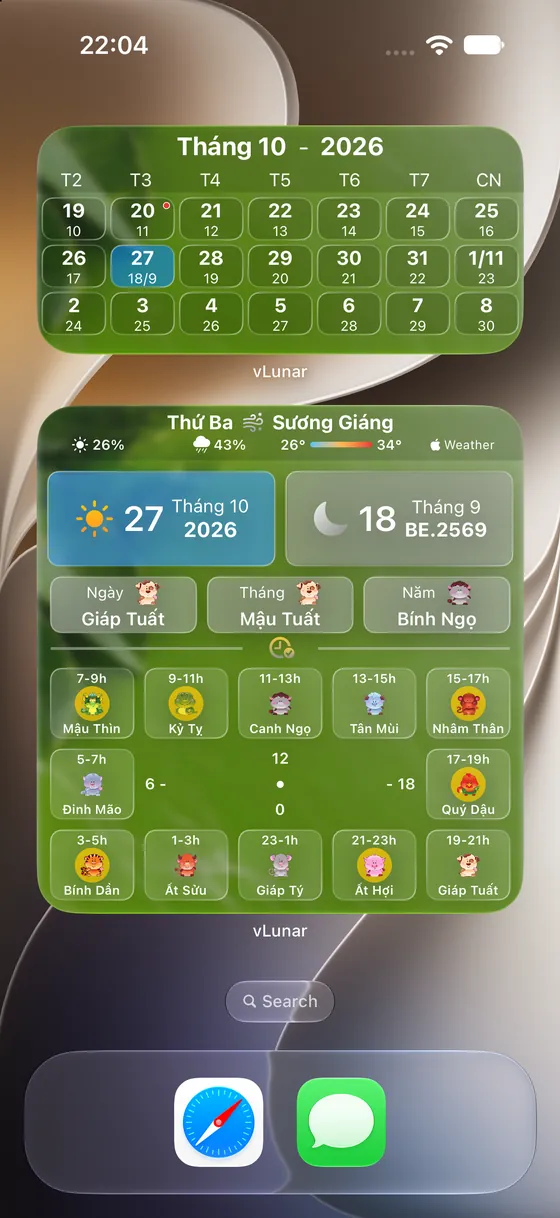
- 3Search vLunar, pick small, medium or large and tap Add Widget.
Home screen widgets are free. Detailed steps and fixes are in the iPhone widget guide.
Calendar app or vLunar?
- iPhone Calendar app: a small lunar date inside the Calendar app, no Can Chi, no full moon or new moon markers, no events that repeat on lunar dates.
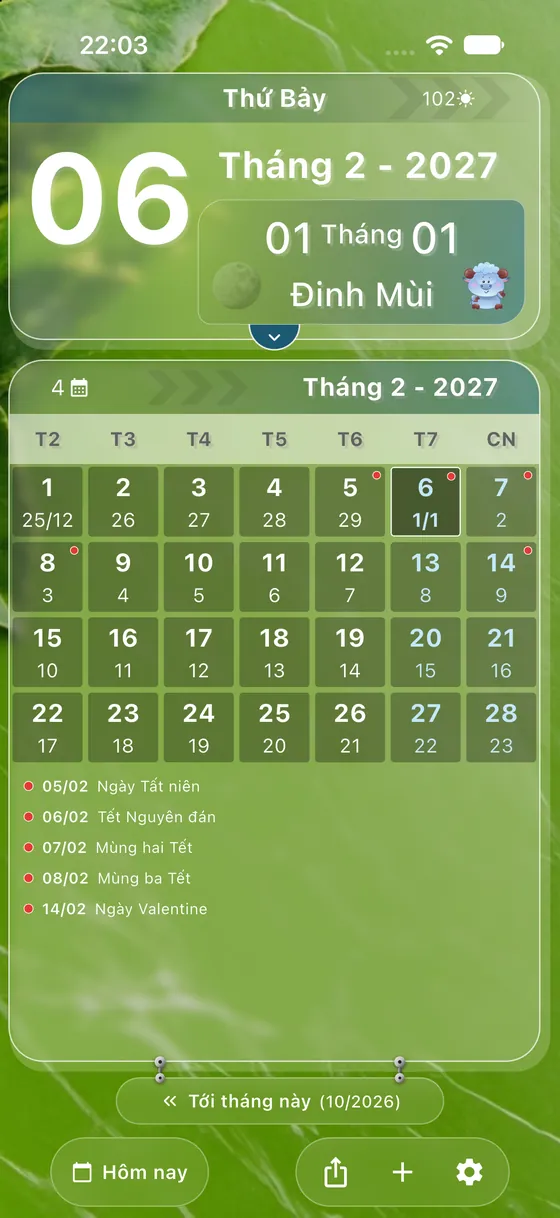
- vLunar: Vietnamese lunar date (Vietnam time), Can Chi of the day, month and year, solar terms, moon phase, the 12 zodiac hours, Vietnamese holidays and home screen widgets.
- Memorial days, full moon, new moon: in vLunar create an event that repeats every lunar month or every lunar year; the app reminds you on the right lunar date every year, for free.
See the lunar date right on your home screen
Install vLunar for a Vietnamese lunar calendar widget, Can Chi, the 12 zodiac hours and reminders for memorial days, full moon and new moon on the exact lunar date. No need to open a website every day.
Free
- ✓Lunar date, Can Chi, solar term and moon phase for every day
- ✓The 12 zodiac hours (twelve two-hour periods of the day)
- ✓Events that repeat every lunar month or lunar year: memorial days, full moon, new moon, reminded on the right lunar date
- ✓Vietnamese holidays, US Holidays, and events from the calendars on your phone
- ✓Small, medium and large home screen widgets, with your own background photo
- ✓Journal with photos, videos and hashtags, each entry with its lunar date
- ✓Two-pane layout designed for iPhone Duo
Pro
- ★Lock screen widgets and widget customisation: colours, text, lunar and solar layout
- ★Unlimited countdown widgets with photos rotated from journal hashtags
- ★Apple Watch app and complications
- ★Weather forecast part of the meteorology block on the day card and medium widget (Apple Weather)
- ★Journal lock with Face ID or passcode
Subscription through the App Store or Google Play; see the price in the app.
Frequently asked questions
Why does the lunar date on my iPhone differ from a Vietnamese calendar?+
Usually because Alternate Calendars is set to the Chinese lunar calendar. It follows Beijing time, so some months are one day off from the Vietnamese lunar calendar.
Can I show the lunar date on the lock screen?+
Yes. See the guide on showing the lunar calendar on the iPhone lock screen.
What is the quickest way to check today's lunar date?+
Add the vLunar widget to your home screen, or open the Vietnamese lunar date today page on vlunar.vnappmob.com.
More guides
- Lunar calendar on iPhone Duo: vLunar designed for two panesvLunar has a layout designed for iPhone Duo: unfold it for the month grid on one pane and the lunar day card on the other; fold it for a smooth single-screen view with a Liquid Glass button rail. Free.
- How to add a lunar calendar widget to your iPhone home screenStep by step: add the vLunar Vietnamese lunar calendar widget to your iPhone or iPad home screen, pick small, medium or large, stack widgets and fix a widget that does not change date.
- How to show the lunar date on the iPhone lock screenAdd the vLunar lunar calendar widget to the iPhone lock screen (iOS 16 and later): lunar date, Can Chi year and moon phase under the clock, plus how to remove it and fix it.
- How to add a lunar calendar widget to your Android home screenAdd the vLunar Vietnamese lunar calendar widget to your Android home screen on Samsung, Xiaomi, OPPO, realme and vivo, and fix a widget that does not change date after midnight.
- How to see the lunar calendar on Apple WatchPut the Vietnamese lunar date on your Apple Watch face with the vLunar app and complication: install the watch app, sync from iPhone, add the complication to the watch face.
- Vietnamese lunar date todayToday's lunar date, Can Chi of the day, month and year, the next full moon and new moon, and the countdown to Tết.